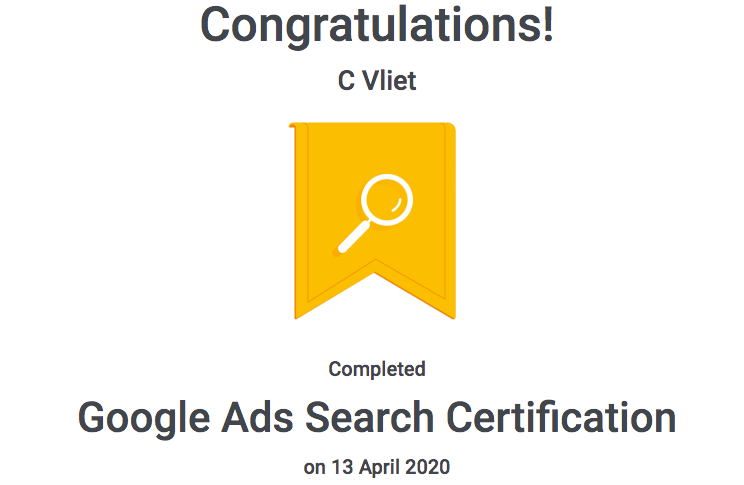
Google Ads Certification
Google Skillshop is a Google training platform that provides users with the ability to learn more about Google’s tools and solutions, completely free of charge. There are a series of courses available but in this paper we will be learning about Google Ads.
Grow Your Business With Google Ads
Google Ads is a digital advertising solution that helps business reach their customers in meaningful ways. Google Ads provides several areas that can help a business meet their goals (Skillshop, 2019):
- Drive Sales: grow online, app in person or over the phone sales
- Lead generation: boost conversions by encouraging people to take action
- Increase website visits: get the right people to visit your website
- Influence consideration: encourage people to explore your products and services
- Build awareness: reach a broad audience and maximize exposure
- Promote your ad: increase installs ad interactions with your app
Google identifies the following three principles to help grow a business:
- Relevance: Google Ads helps a business connect with the right people. Ads can appear on Google searches, YouTube and when people are looking for products online.
- Control: allows a business to control their budget by setting total spend per month, per day and per ad.
- Results: you only have to pay for the results. Payment is based on clicks to the website or calls to the business.
Explore the Value of Google Search:
Below are some of the benefits of the Google Search Campaign:
The importance of the Search: Each day, 3.5B searches are made using Google (Skillshop, 2019) and Google’s goal is to organize all of the available data in a usable way. This helps people know what to buy, go or do.
Connecting with customers: Google search campaigns allow your ads to show up in search results. Google Search campaigns support business’s when:
- Users are researching/comparing different options
- Appear in search results with other businesses with similar offerings
- Know what adds users are engaging with

Mastering the Foundations of a Google Search Campaign:
Setting up a search campaign: consider were you want you ads to be seen, how much you are willing to invest, what you want to share in your ads, and any keywords that might match the customers search.
Below are some important terms to understand (Skillshop, 2019):
Campaigns: set around the marketing goal and focused on the actions that the business would like the customers to take.
The Marketing goal: should be the main thing that the business would like to achieve. Search campaign marketing goals can be set to Sales, Leads or Website Traffic.
Networks: settings that indicate where you want your ad to appear, based on the campaign type that the business selected.
Devices: Campaigns target all types of devices, which can include desktop, tablet and mobile. Businesses can also customize their ads for different devices.
Locations and Languages: Campaign ads are eligible to be shown to customers located in, or who show interest in, a specific geographic location. Language targeting allows a company to restrict where their ads may appear, based on the user’s language settings and the language of the site.
Bidding and Budget: the bid strategy controls the payment for users to interact with the created ad. As you ad is built there will be different bidding options for optimization. A business can choose to manually set bids for clicks on the ads or let Google Ads do it. The budget is the average amount that a company is comfortable with spending each day on the campaign.
Ad Groups: Google also suggests to create groups based on themes or products, ultimately getting the right ad to the right customer.
Keywords: for each group create a relevant keywords and set a bid amount for each keyword list.
Text Ads: create a specific text ad for each group. Target the following:
- Headline: to catch the customers attention
- URL: to reach a page on your website
- Description: to highlight the details of what the offering is
Create Dynamic Search Ads, to allow for the ad to show up in multiple search options.
Ad extensions: create more information within your ads. Like location, links to a website or a phone number.
Start and End Date: this sets the timeframe the ad will run for.
Ad Scheduling: allows you to set the day and or hours of the week the ad will run for.

How do Ads end up in Front of Customers?
Based on a person’s search, the Google search engine scans through all of their advertiser’s campaigns, looking for keywords that match with the users search term. Google assigns a ranking based on bid and relevance. This decision is what populates the search results. When the user clicks on the search link it takes the user to the ad’s business website and this converts to a sale. (Skillshop, 2019)
Manage Which Searches Prompt Your Ads:
Keywords tell Google’s algorithm which customer’s searches will match your ads. In order for this to be effective, you need to think like your customer. Use keywords that your potential customers will be using.
What are your business goals? There are five match type options for your keywords:
- Broad match: used for a wider audience and avoids the chance of missing any keywords that users might be using.
- Modified broad match: wide audience but also allows the search to be narrow enough to add product specific information. This is achieved by adding a + sign in front of a keyword
- Phrase match: best used when seeking search results for a specific brand or phrase. This can be completed by placing quotation marks around a keyword(s).
- Exact match: Used when the search means the same thing as the keyword. This can be achieved by adding a bracket around the keyword.
- Negative: This would be used to remove a user that uses a word that is not related to your company. This can be achieved by adding a minus sign in front of the keyword.
You can also have Google do this for you. Have dynamically created text ads and keyword lists developed automatically based on your website content.
Compliment your Keyword Strategy with Dynamic Search Ads (DSA):
Dynamic Search Ads can help increase the reach of your search campaigns. Instead of creating an ad for each page on your site with related keywords, you can use Google’s understanding of your site to create customized target ads for you. Here are the steps (Skillshop, 2019):
- Specify the pages on the website and daily budget
- Customer enters their search term into Google
- Google automatically generates an ad headline and destination url based on your site.
Targeting options for Dynamic Search Ads:
- Landing Pages from Standard Ad Groups: easiest option because it uses all the web pages that you are currently using.
- Categories: based on website content, Google creates targetable categories. This determines which set of pages to target.
- URL content: target pages on your site containing specific strings.
- URL is: you can target specific URLs.
- Page Feeds: generate ads based on feed of specific URLs, mapped to custom labels.
Key Benefits of Dynamic Search Ads:
- Reach and coverage: matches more searches
- Efficiency and Time Savings: removes the time spend creating endless ads
- Transparency and Control: complete visibility through reporting and exclusion options for relevancy.

Understand the Google Ads Auction:
What is a Google Ads Auction?
The Google Ads Auction is how Google determines how ads are ranked on the results page. As are ranked based on the calculations of the Ad Rank. This is based on relevancy to ensure value to both the user and the advertiser. The Ad with the highest Ad rank is shown at the top position.
Ad Rank has five factors:
- Bid: the set bid tells Google Ads the maximum amount that you are willing to pay for a click.
- Ad Rank Threshold: Google sets minimum quality thresholds to support relevant content
- Context of Query: references the terms the persons: text, location, time, type of device, nature of the search terms, and search results that are shown on the page.
- Ad Extension Impact: add extra information like a phone number or links to a page. Google looks at help extensions will impact the ad’s performance.
- Auction Time Ad Quality: Google looks at how relevant and useful the ad will be to the viewer and creates a quality score.
Ad Quality is based on the following three factors:
- Expected Click Through Rate: a prediction of how often the ad will be clicked.
- Ad landing Page Experience: a highly relevant landing page has a higher score.
- Ad Relevancy: how much the ad matches what the user is looking for.
How Ad Rank Influence Actual Cost per Click (CPC):
Average CPC is not the price you pay. The system is dynamic and can vary from auction to auction so it depends on a variety of factors, such as context and query. Therefor the CPC is an average and will fluctuate based on moving variables.
Improving Ad Rank:
What is a Quality Score? It is an estimate of the quality of your ads, key words and lading page. Higher quality ads = lower prices and better positions.
To improve your ad quality, focus on the three components of Quality Score:
- Expected click-through rate: The likelihood that the ad will be clicked.
- Be specific: include keywords in your ad (especially the headline) to show people how your ad relates to them.
- Experiment with different calls to action
- Highlight a unique benefit of your product/service
- Create time or location specific ad text
- Ad Relevance: how closely the ad matches the intent behind a user’s search
- Add negative keywords
- Be specific on mobile
- Be local
- Include relevant search terms in your ad copy
- Landing Page Experience:
- Send traffic to the right landing page
- Be consistent: make sure your landing page continues the conversation developed through your ad
- Make your site transparent and trustworthy: clearly defined contact information, define what your business does.
- Work on loading speed and clarity
- Rethink Mobile

Delivering the Right Message With Text Ads:
What is a Text Ad?
Literally that, it is the text that makes up an ad. A simple, yet powerful way to get your business in front of people. In order to reach people, ads need to be informative, relevant and engaging.
What makes up a Text Ad?
- Headline: this is what people notice and make sure you include at least one of your keywords in the headline.
- Description: highlight unique details about your product/service, with a maximum of 90characters. Include prices, promotions and exclusive offers and make sure you include a call to action. (Skillshop, 2019)
- URL: this is your website address.
Best Practice for Excellent Google Ads Creatives:
- Implement 3-5 ads per ad group: the more ads that are present in an ad group, the more options that you will have for success. (Skillshop, 2019)
- Optimize your ad rotation for clicks and conversions: this allows the system to serve the ideal ad under each circumstance.
- Use at least three extensions for each campaign or ad group: at the time of each auction, the ad will be assembled with the most appealing extensions.
Responsive Search Ads:
Responsive search ads adapt to show more relevant messages for customers. The more headlines, descriptions and URLs, the more Google Ads can text and serve variations to user search terms.
Benefits of Responsive Search Ads:
- Flexibility: flexible to adapt to device widths
- Relevance: save time by providing multiple headlines and descriptions
- Reach: reach more customers
- Performance: increase ad group performance

Make Ads Relevant with Search Ad Extensions
Explain why ad extensions matter:
Using the right ad extension improves the user experience and increases engagement.
What do users want?
- Relevant Information: user search google because they are looking for answers.
- Information based on their moment: users are now using multiple sources for information across multiple devices and have become more demanding and impatient. Google has to quickly provide results that match the user’s needs.
- Ads that contribute to their experience: relevant ads = positive experiences
Why does this matter to users:
Relevant ad extensions encourages users to make more informed decisions and take action.
- Increased Engagement: using ad extensions that make sense increase the likelihood to match the needs of the user. This ultimately leads to higher engagement.
- Better Ad Quality: Ad formats will impact ad rank. Google looks for relevance, Click through rate, prominence of the ad format
- More Qualified Leads: more relevant information up front often translates to more qualified leads.
Choose the Right Ad Extensions:
Ad extensions enrich text ads by showing extra information about the business.
How are ads served: all ad extensions are designed to be co-triggered. Up to four extensions can be shown at a particular time.
Universal Extensions: Three extensions that should be used to enhance text ads:
Sitelinks: additional links that appear under the text of the search ad. (Skillshop, 2019)
| Benefits include: Increase engagementMore conversions Easy to manage: the system automatically displays the best performing / most relevant sitelinks for each query. | When to Use: Drive up shop sales Making online conversions Raising brand awareness | Tips: Add as many sitelinks as you can. UP to 8-10 active sitelinks per campaign Select the Right Landing Page: link directly to popular or high converting sections of your website. Guide the user: in the sitelink title, clearly mention what users will find on the landing page. |
Call out extensions: highlight value-adding attributes: (Skillshop, 2019)
Callout extensions are short, about 25 characters. They can be used to highlight information about value adding attributes. Callouts highlight what makes a whole business unique.
| Benefits include: Boosts engagement: added information boosts 10% increase to CTREasy to implement: just add 25 characters | When to Use: Drive shop sales, online conversions and brand awareness. | Tips: Be brief, appealing, concrete (focus on specific information), think in bullet points. |
Structured Snippets: Give a Glimpse of What’s Offered: (Skillshop, 2019)
Structure snippets allow you to describe features of a specific product
| Benefits include: Get more qualified leads | When to Use: Use them when you want to highlight specifics about a product like: amenities, type or destination. | Tips: Focus on the essentials by making sure the headers selected provide the information that is useful to the users. Ideally you would highlight four values. Be relevant by matching headers with content. |
Locations Extensions: Give directions to the business: address, phone number and map marker. (Skillshop, 2019)
| Benefits include: Drive shop sales Drive online sales Increase ad performance Boost visibility Report Shop visits | When to Use: If you have a physical shop or foot traffic to encourage customer visits | Tips: Keep information up to date Adapt Bids: bid more aggressively for users close to your shop |
Affiliate Location Extensions: allow product manufactures to drive business to their retail partners. (Skillshop, 2019)
| Benefits include: Drive shop sales Drive online sales Report Shop visits | When to Use: If you are a manufacture, with retailers selling your product. | Tips: Maximize local reachAdapt Bids: bid more aggressively for users close to retailers |
Call Extensions: this helps to get calls from customers. This allows mobile users to directly call your business through the ad. (Skillshop, 2019)
| Benefits include: Convenience Qualified LeadsFlexible Scheduling | When to Use: When a business values phone calls as much as website clicks | Tips: Measure the impact Provide great service |
App Extensions: help promote an app and drives traffic to your website. (Skillshop, 2019)
| Benefits include: Provides the option to install the app through the extension | When to Use: When a business has an app that they would like to promote | Tips: Be clear Show it: brand and generic wordsBe inclusive: focus on app and website |
Price Extensions: allows you to showcase products alongside pricing. (Skillshop, 2019)
| Benefits include: Provides a better customer experience through clear expectations | When to Use: When customers need to compare pricing in order to decide if they are interested in your products | Tips: Be granular and relevant to user queries Make sure that the descriptions relate to the headings Don’t use promotional copy in descriptive lines Don’t repeat headlines and description lines |
Promotion Extensions: allows you to showcase promotions without updating all your ads (Skillshop, 2019)
| Benefits include: Below ads in eye-catching format | When to Use: When highlighting special offers and sales | Tips: Select Special Occasions and events Flexible scheduling |
Message Extensions: mobile only format that allows a business to connect with users by text. (Skillshop, 2019)
| Benefits include: Convenience Pre qualification Ability to Generate Leads | When to Use: Provide a caller with an alternative to calling | Tips: Optimize your message extensions Schedule your message extensions Provide great service |
What are Automated Ad Extensions?
Every google ad is automatically enrolled into as many automatic ad extensions they are eligible for. Fully Automated: directly populated by Google and don’t require any action by the business
Advertiser Provided Extensions: They are not automatically generated, but recommended. They also supersede automated ones.
Dynamic Extensions:
Dynamic Sitelinks: are automatically generated sitelinks that can be served with search ads. They are optimized to direct customers to relevant pages.
Dynamic Structured Snippets: are features that automatically generated as an additional line of non-clickable content.
Dynamic Callout Extensions: they are automatically generated and can be served with search ads. Use high value phrases like, “Book Online” or “Get a Free quote” (Skillshop, 2019).
Seller Ratings: tells users if your business is highly rated. Google receives data from the following data sources:
- Google Customer Reviews (GCR)
- StellaService
- Google-led shopping research
- Third-party review sites

Increase Efficiency and Automated Bidding
What’s Automated Bidding: the bid strategy you choose directly influences how your campaigns perform and how visible they are during the user searches. Below are some factors to keep in mind:
- Performance: If you don’t bid correctly you could miss opportunities for valuable customer conversions
- Auctions: the appropriate bid can be a moving target that is hard to reach with a manual bidding process.
- User Journey Complexities: with automation all the user’s signals can be taken into consideration (locations, time, device etc)
Benefits of Google Ads Automated Bidding:
- Machine Learning: automated bidding uses machine learning to help set the appropriate bid for each auction
- Time Saved: cross reference audience data with context to establish intent takes time.
- Auction Timing Bidding: Tailor bids for each user’s unique context
- Depth and Signals used and cross analysis.
Choose the Right Bidding Strategy:
Choose a bidding strategy that matches your marketing goals. The strategy you choose depends on the networks your campaign is targeting. Below are the bidding strategies:
Awareness-based bidding strategies: use to make sure your ad is visible for certain queries and locations on the page. (Skillshop, 2019)
| Goal: Visibility | Bid strategies to choose from: Target impression share: location of search results page, anywhere, top of page, or absolute top of page | Use Case: This is for raising awareness of your brand and campaigns that include brand terms |
Consideration-focused bidding strategies: drive as many clicks as possible within a set level of spend: (Skillshop, 2019)
| Goal: Clicks | Bid strategies to choose from: Maximize Clicks: get as many clicks as possible within a target spend amount | Use Case: Budget oriented campaigns Drive more click volume Maximize traffic when extra budget is received Upper funnel keywords that have high assist value in conversion |
Conversion-focused bidding strategies: if you’re tracking post clicks action, valuing conversions equally and looking for number of conversions. (Skillshop, 2019)
| Goal: Conversions | Bid strategies to choose from: Maximize ConversionsTarget cost per acquisition goal (tCPA)Enhanced cost per click | Use Case: Maxmize conversions Target cost per acquisition goal (tCPA)Enhanced cost per click |
Revenue-focused bidding strategies: tracking the revenue value associated with the conversions. Good fit if you are tracing at least 50 conversions in the past 30 days. (Skillshop, 2019)
| Goal: Revenue | Bid strategies to choose from: Target return on as spend | Use Case: If you want to optimize bids to maximize revenue. |
Reach Valued Customers with Search Audiences
Identify the benefits of Google Search Audience Solutions: strategies to help you reach high valued customers in the moment when they are ready to buy products. Google allows you to create audience lists based on specific signals, than layer the audience groups on the ad groups.
Marketing Goals:
Create Awareness:
- Detailed demographics with advanced criteria like: marital status, education, parenting sage and homeownership.
- Affinity Audiences: aggregates people who have demonstrated a strong interest in a given topic.
Drive Consideration: (Skillshop, 2019)
- In market Audiences: drive consideration among people that are interested in buying them
- Remarketing lists for Search Ads: RLSA helps you reach people who have engaged with your website in the past
- Similar Audiences for Search: find new customers that share the behaviors and characteristics of your RLSAs.
Increase Purchase and Loyalty with your existing customers: (Skillshop, 2019)
- Customer Match: upload your own data into Google Ads and reach customers across devices.
- Remarketing lists for Search Ads: connect with your customers in the past.
How Audience Solutions can enhance your search strategy:
Variable Bidding (Skillshop, 2019)
| What: Layer one audience group on top of a search campaign and bid differently | How: Increase bids to certain audiences Decrease bids to certain audiences | Why you should care: Ad auctions are competitive, you want to make sure you are making the right bids for certain groups |
Keyword Expansion (Skillshop, 2019)
| What: Expand your keyword set to larger/broader set terms. | How: Create ad groups that target generic keywords and only show to certain audiences. | Why you should care: Make sure generic words are imbedded into relevant ad searches |
Creative Customization (Skillshop, 2019)
| What: Reach different audiences with unique messaging. | How: Create groups based on specific audience lists and create bespoke text | Why you should care: The more relevant the ads, the better experience your customers will have. |
Reach Valued Customers with Search Audiences:
Affinity Audiences: aggregates users who have demonstrated a qualified interest in a given topic.
Detailed Demographics: you can reach customers based on their activities on google.com. May include, parental status, parenting stage, homeownership, marital status and education status.
In market audience: Google Audience can tell the difference between interest and intent and identifies people with a mindset to bu.
How do these solutions work?
- Signals: algorithms leverage behavior on google.com, YouTube, Google Maps, Google shopping etc to determine patterns of behavior.
- Survey: validates by using surveys and conversion data
- Scale: google maintains a holistic picture of behaviors across all devices.
Harness the power of your own data to reach your marketing objectives:
Remarketing Lists for Search Ads (RLSA): search campaigns add valuable traffic to your website. These lists allow you to create unique ad creatives based on past interactions.
Customer Match: use your CRM data to better understand the types of people who have a relationship with your brand.
Similar Audiences: uses the RLSA to find new customers with similar characteristics to your existing customers.

Boost Performance and Optimization Score
What is optimization score? Estimates how well your search campaigns are set to perform. The higher your score, the more your account is running to its full potential. The benefits are:
- Instant: real-time estimates of how your ads are performing
- Customized: use statistical modeling to provide recommendations
- Scalable: you can provide recommendations across multiple layers of your advertising strategy
How does optimization work?
- Calculated through an algorithm that looks across key aspects of accounts, including statistics, settings an industry trends to determine which ads to optimize.
- Points come from statistical models, simulations and machine learning
- There are 50 recommendations that can help your business advertise more efficiently
Increase Performance with Performance Planner
What is the google ads performer? A forecasting tool that uses machine learning to reveal possibilities for your google ad campaign.
Benefits: determines the optimal bid and average daily budget allocations to increase the number of conversions (Skillshop, 2019)
- Forecasting: using google search ad auctions.
- Simulations: simulates relevant ad auctions with query level variables
- Machine Learning: used to fine tune forecasts
- Validation: forward and backward measurements for accuracy
Best Practices:
- Create separate plans for each marking objective
- Set bids and budgets using non-last-click conversations
- Regularly check your plan
- Use non-last-click attribution conversions
- Create multiple plans for campaigns that have different marketing objectives
- Use the performance targets feature
Use optimization score on the Recommendations page to improve your campaigns.
Conclusion
I have completed a very detailed review of Google Ad Search and I successfully passed the assessment. I feel like I know so much more about my online interactions and will never look at online shopping again. Equipped with my Google Ad Search Certification, I am far from being knowledgeable enough to navigate a business through these steps without more practice. But the content was interesting.
You can see that companies like Amazon excel in this space, as they create “thoughtful suggestions” and “others bought with” feeds as your research certain products. As they mentions within the Google Search Ad training modules, consumers are more demanding than ever before. You can easily see why analytics of this nature are required to have a successful company.